 CrateLog
How to add a record without a barcode to Discogs
To add a record without a barcode to Discogs, search for the catalog number printed on its label or spine, then narrow the results down by label, country and year until one version matches your copy. If the catalog number isn't enough, the matrix or runout etched near the label tells pressings apart. You can also photograph the label and let an app find the match for you.
Why so many records have no barcode
Barcodes only became common on record sleeves in the 1980s, so most older records don't have one. Plenty of newer records don't either: promos, white labels, test pressings, many 12" singles and small-label releases were never meant for a shop's till.
A barcode scanner, including the one in most collection apps, has nothing to read on these. For a collection of older or underground records, that can be most of the shelf.
Step 1: find the catalog number
The catalog number (often written Cat# or catno) is the label's own code for the release, such as ORG 015 or BLUE 1234. Look for it:
- On the center label, usually near the label name or at the edge.
- On the spine of the sleeve.
- On the back cover, often in a corner next to the label logo.
Type it into the Discogs search box. The catalog number is one of the fields Discogs searches, and the advanced search has a dedicated Catalog # field if the general search returns too much.
Step 2: if there's no catalog number, search by artist and title
Search for the artist and title instead. Discogs usually groups all versions of an album under one master release, with a list of every pressing: different countries, years, labels and formats.
Step 3: narrow down to your version
A popular record can have dozens of versions. Use the filters on the master release's versions list, then compare what's left against your copy:
- Format: LP, 12", 7", CD.
- Country: usually printed on the label or the back cover, as in Made in Germany.
- Year: the year printed on the label or sleeve, keeping in mind that a reissue may repeat the original year.
- Label: the record label and any sub-label.
Then open the remaining candidates and compare their photos with your label and sleeve: the label design, the colour, the small print at the edge.
Step 4: settle it with the matrix or runout
If two or more versions still look the same, the deciding detail is usually etched into the smooth area between the last track and the label, the runout groove or dead wax. Every Discogs release page lists these codes under Barcode and Other Identifiers, so you can compare them character by character with your copy.
Reading that etching is a skill of its own: How to read matrix and runout numbers explains where to look and what the parts mean.
Step 5: add it to your collection
On the matching release page, click Add to Collection. Adding the exact version, rather than whichever one comes first, keeps your collection's details and price estimates right.
The faster way: match it from a photo
Typing a catalog number and checking versions one by one is fine for a few records, but slow for a box of them. CrateLog does the lookup from a photo instead:
- Point the phone's camera at the center label or the sleeve. A barcode isn't needed.
- CrateLog reads the label and scores candidate matches against the Discogs catalog, with a confidence indicator on each.
- When several pressings look nearly the same, each candidate shows How to tell clues: what to check on the label, sleeve or runout to know which one you have.
- Review the match and add it straight to your Discogs collection.
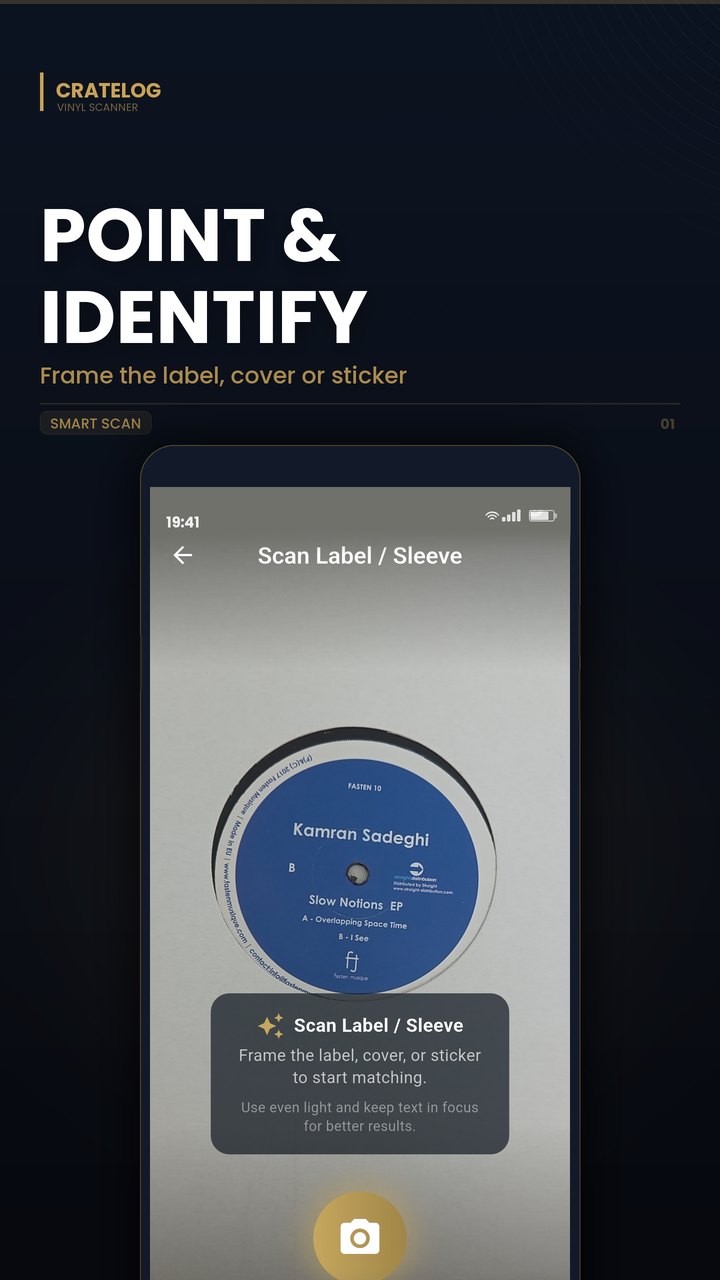
Barcode scanning in CrateLog is free, and Smart Scan, the photo match, comes with 15 free scans every month, enough to try it on the records that are hardest to find by hand.
When there's no match
Some records aren't on Discogs at all, typically private pressings, white labels with nothing printed on them, and test pressings. If your copy is missing, Discogs lets you submit it as a new release, using the catalog number, label and runout details you've gathered.
Questions
What if my vinyl doesn't have a barcode?
Search Discogs for the catalog number on the label, spine or back cover, then narrow the results by country, year and label. If that doesn't settle it, compare the matrix or runout etched near the label with the identifiers on each candidate's release page.
Is the catalog number the same as the matrix number?
No. The catalog number is the label's code for the release and is printed on the label and sleeve. The matrix or runout number is etched or stamped into the vinyl near the label, and can differ between pressings that share a catalog number.
How do I add a CD without a barcode?
The same way: search the catalog number printed on the disc, the inlay or the spine, then compare versions. Many CDs also carry a matrix code on the clear inner ring of the disc.
Why does Discogs list so many versions of the same album?
Each pressing, reissue, country and format is a separate release on Discogs, because they can differ in sound, details and value. That's why picking the version that matches your copy matters.